Squarespace
← Back
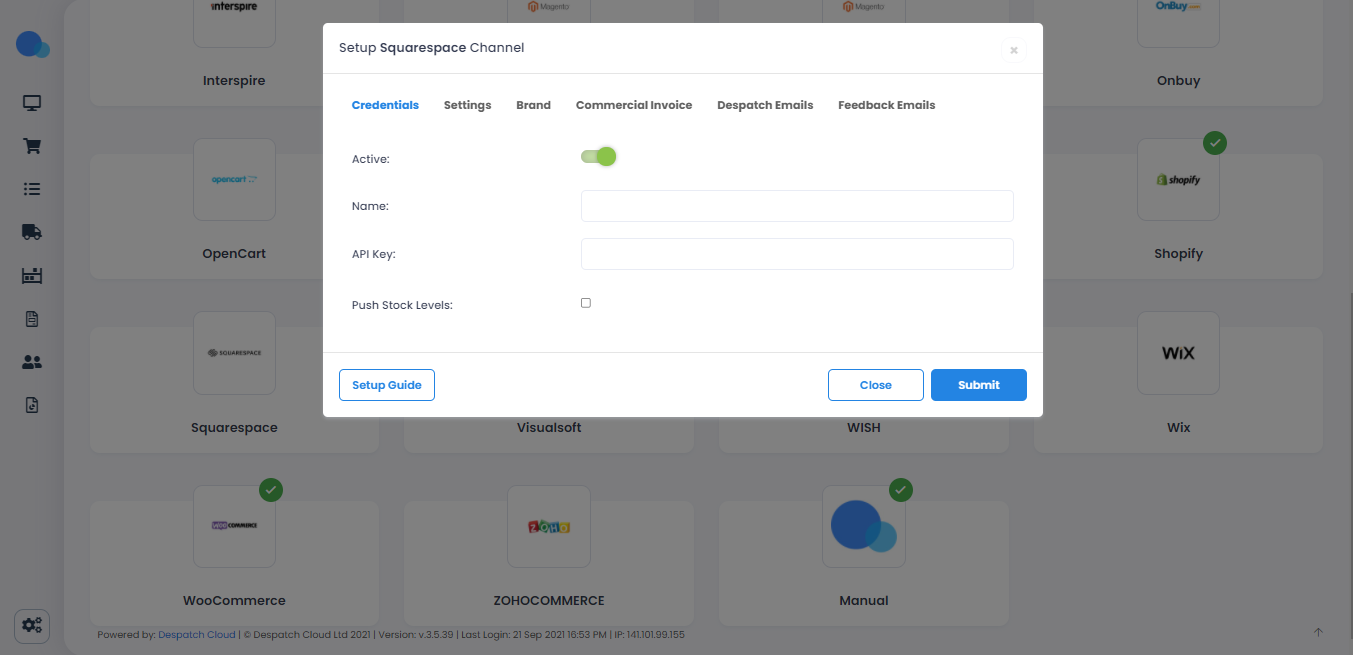
As you can see in the picture below, there are some fields like API Key that you need to obtain from your Squarespace store to set up a Squarespace Channel on Despatch Cloud.
To create API Key follow the steps below:
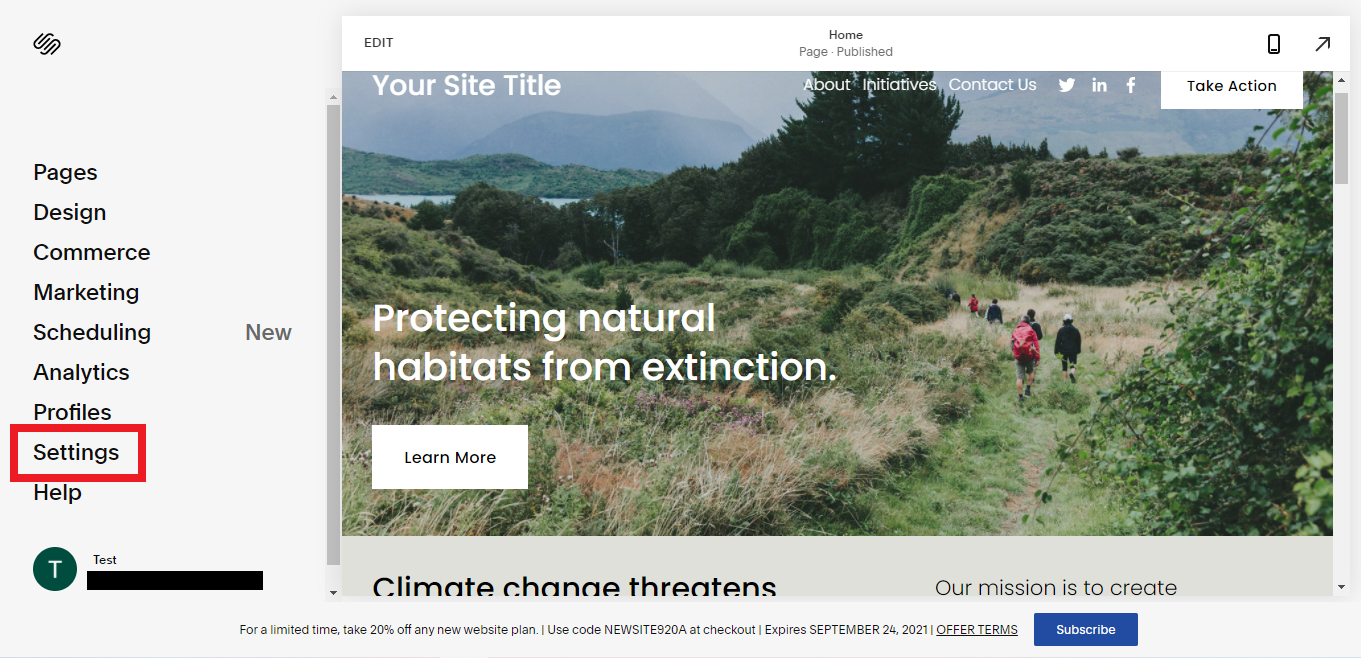
1. After logging in to your Squarespace store, In the Home Menu, click on "Settings"
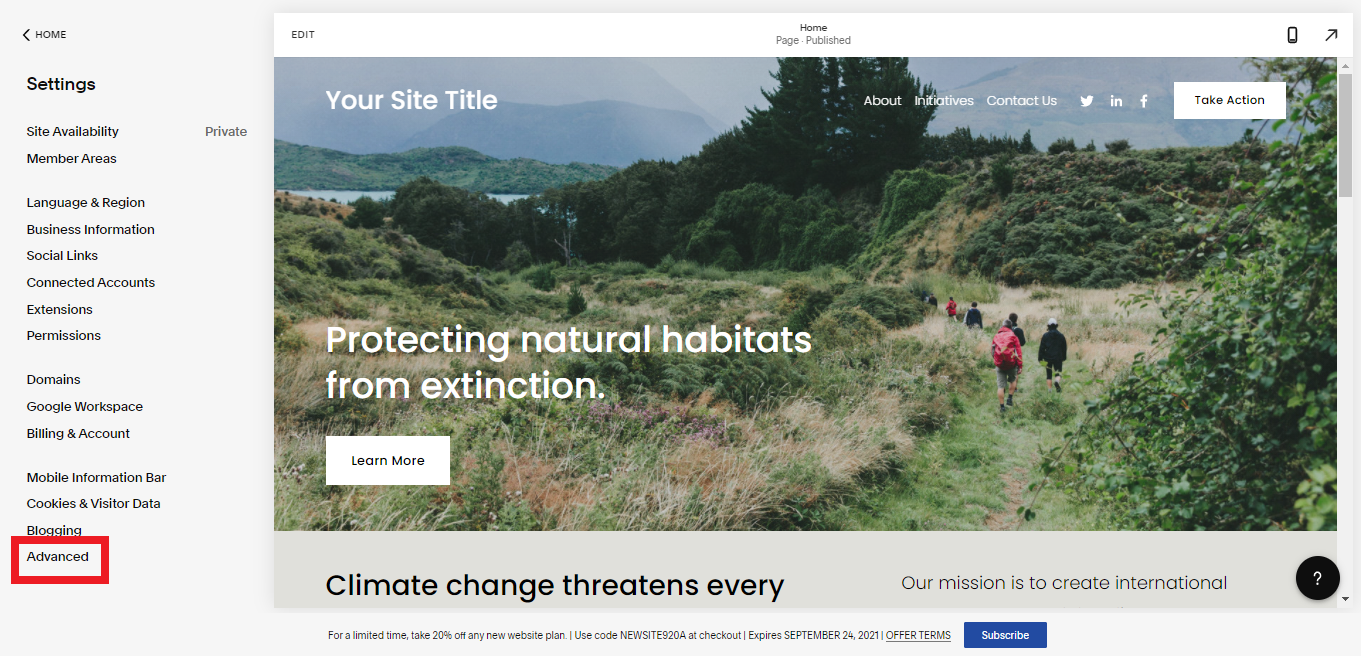
2. Then select "Advanced"
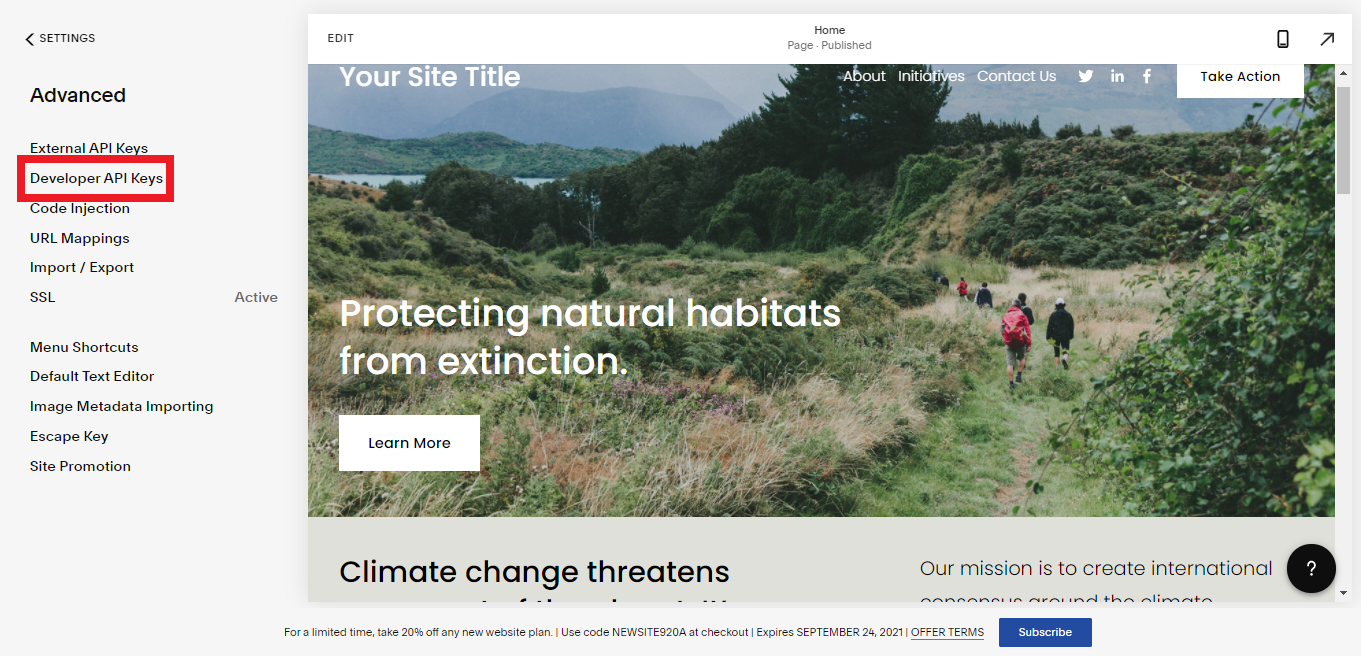
3. Click on "Developer API Keys"
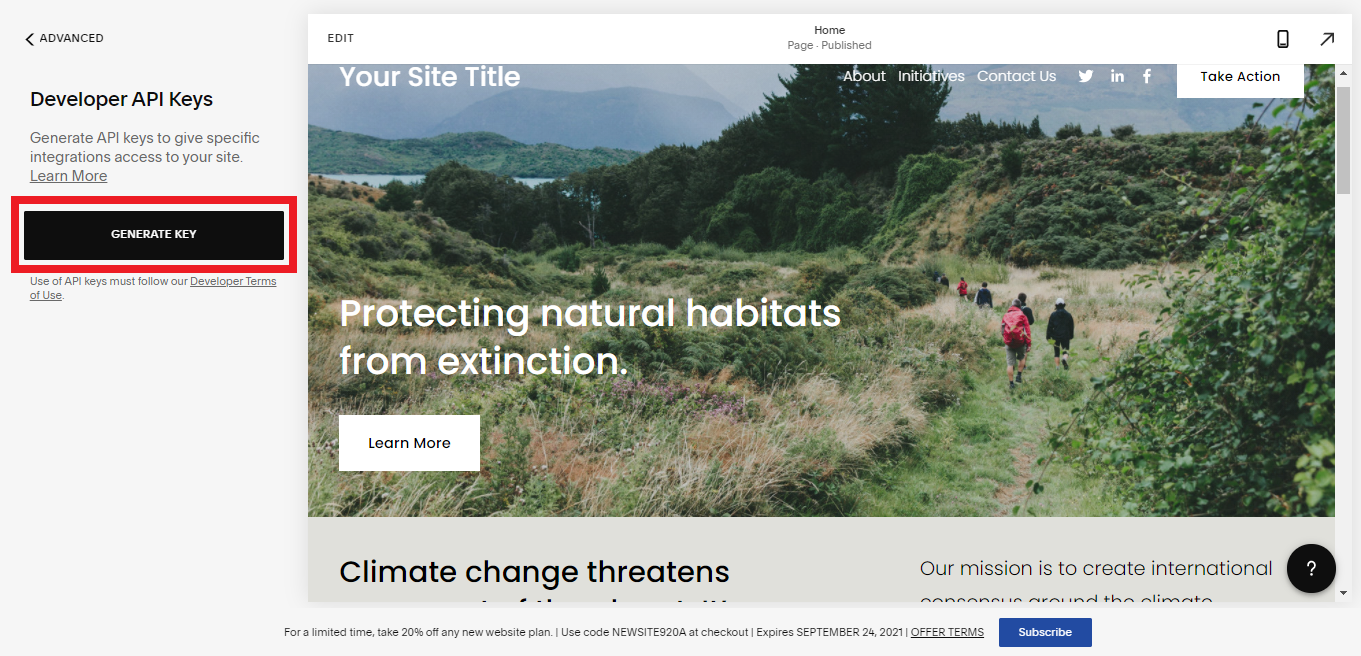
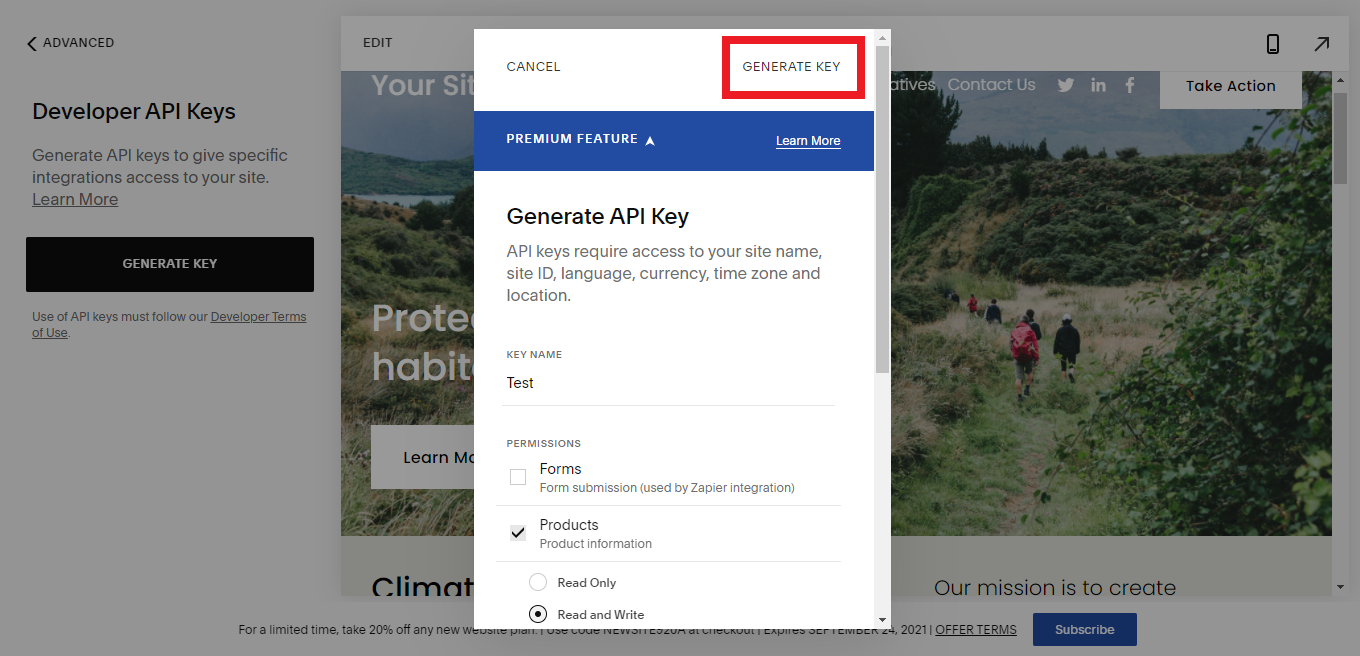
4. Then click on "Generate Key"
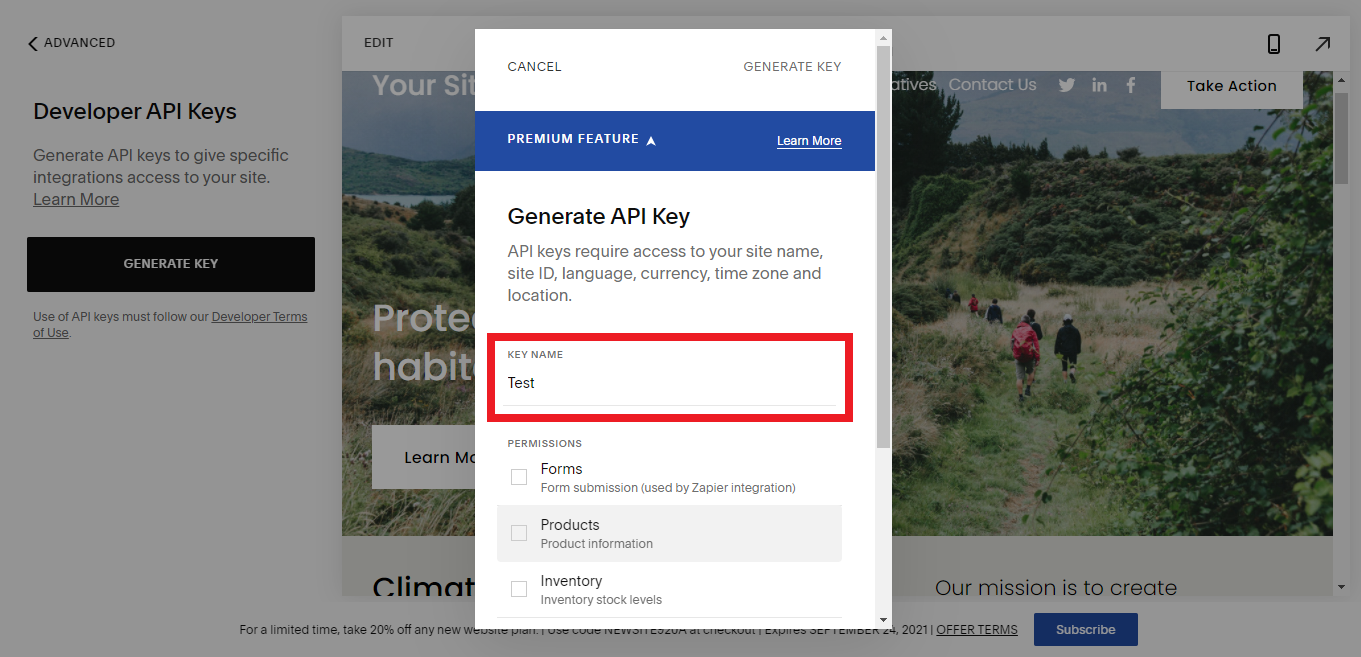
5. Enter a "Key Name"
6. Select the recommended "Permissions" for the API key as following:
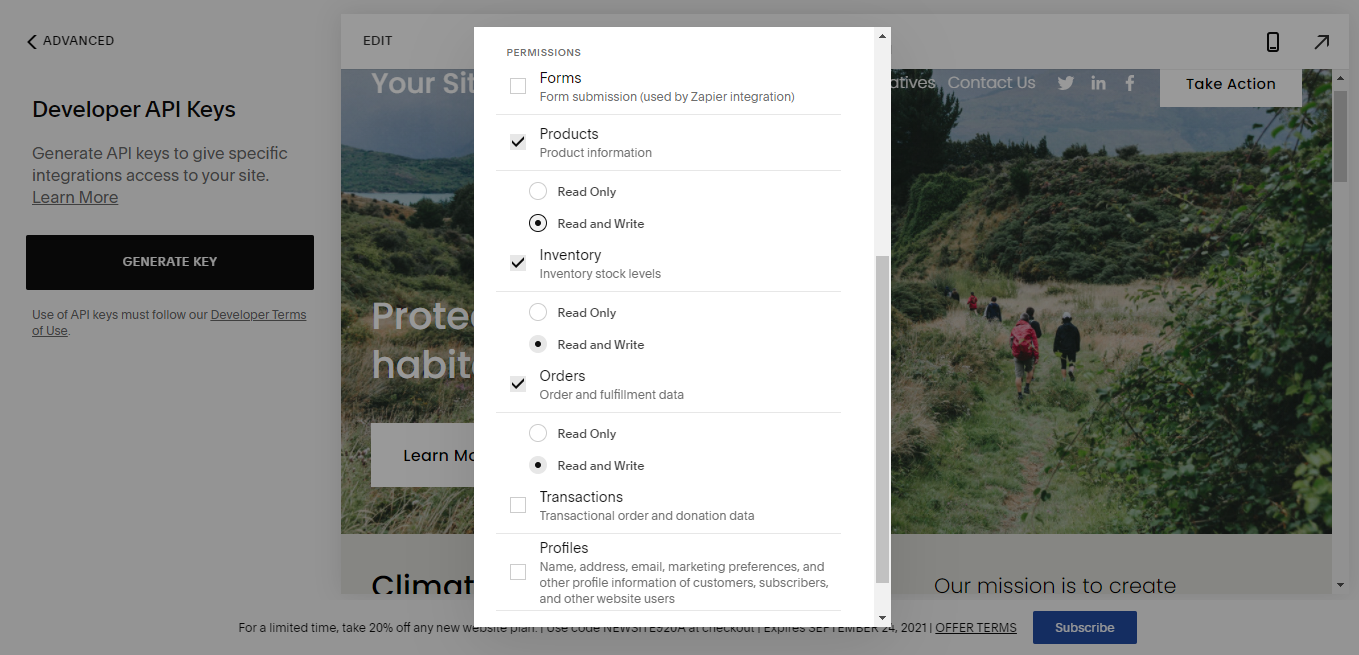
7. At the end click on "Generate Key"
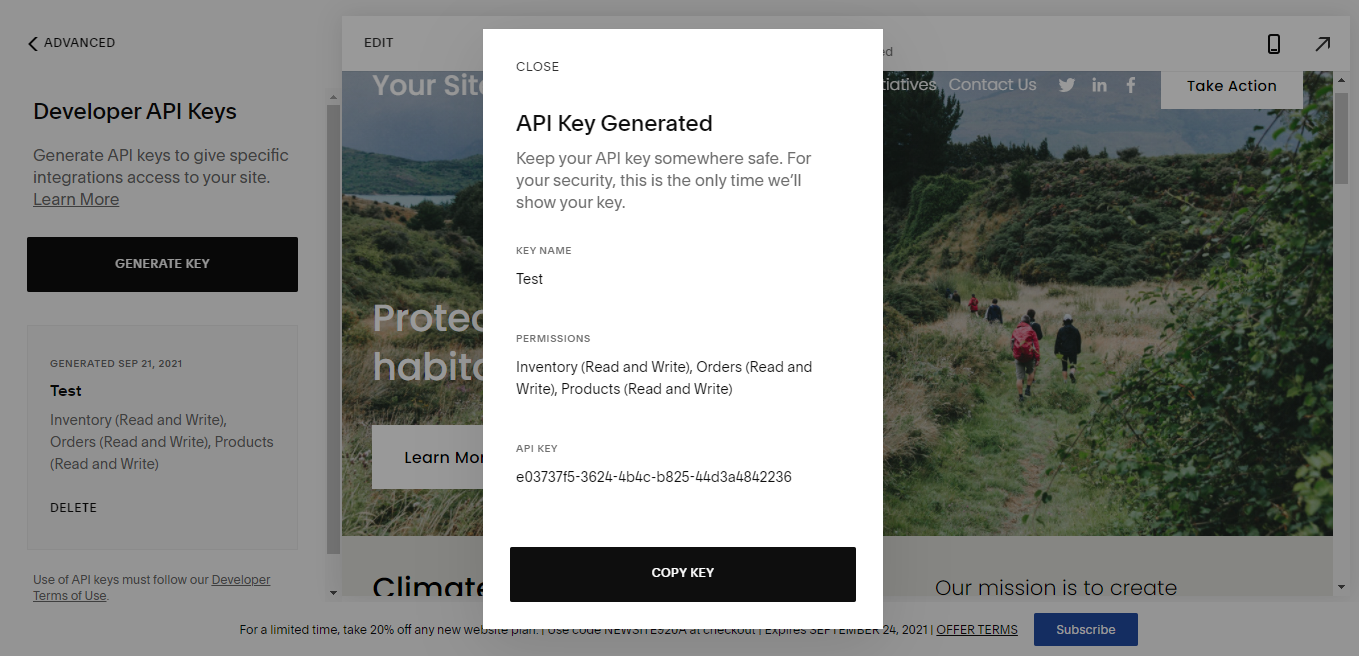
Now you have the Key Name and API Key which you can enter in the required field to set up your Squarespace Channel in Despatch Cloud.